
Chat Exporter downloads any ChatGPT conversation as a file in your preferred format, suitable for archiving, sharing, or documentation.
Use Chat Exporter to keep offline records, share a thread with a colleague, or import chat content into tools like Notion or a word processor.
Step 1: Open Settings
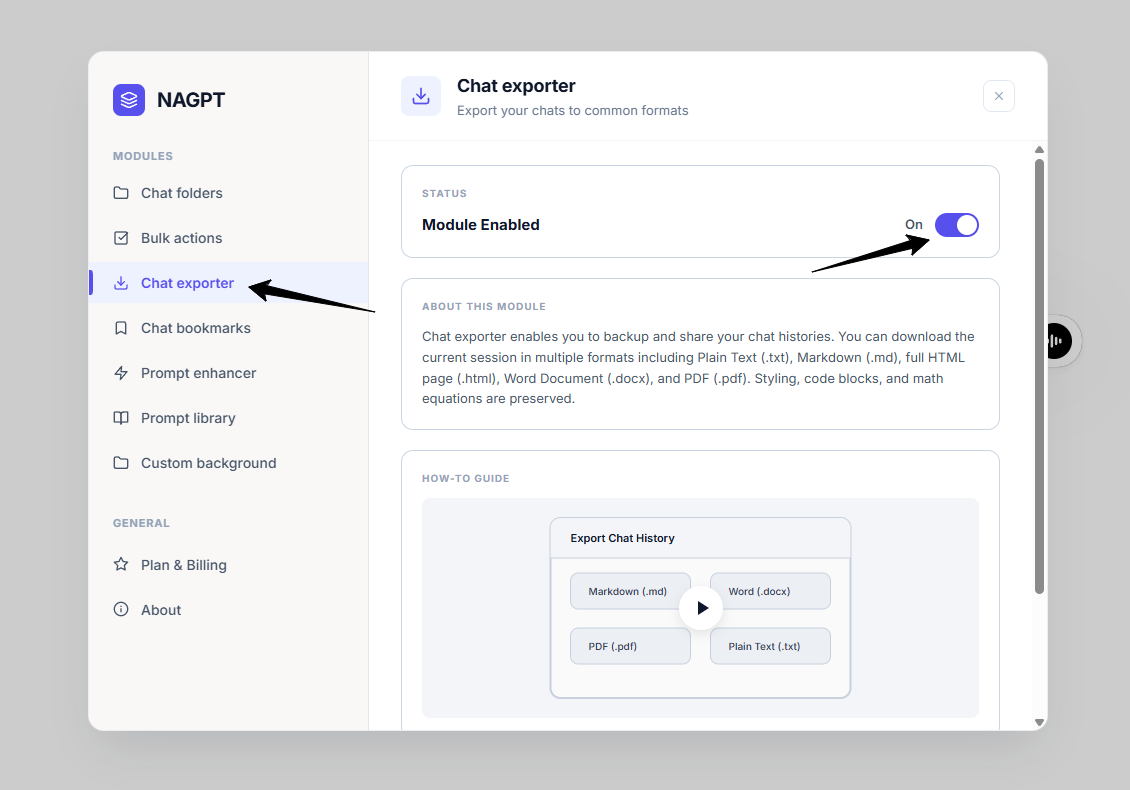
In the settings dashboard, navigate to the Chat exporter tab and toggle the status to On.
Export button and format dropdown.
Step 2: Export Your Chat
- Open the ChatGPT chat you want to export.
- In the ChatGPT header, click the Export (Download) button.
- Select your preferred file format from the dropdown list.
Export Formats
- Plain Text (.txt): Best for simple backups and plain reading.
- Markdown (.md): Best for documentation because it preserves headers, lists, and code blocks.
- HTML Page (.html): Best for sharing a self-contained page that opens in any browser.
- Word Document (.docx): Best for editing or formatting the conversation in Microsoft Word.
- PDF Document (.pdf): Best for print-ready export through your browser's Print dialog.
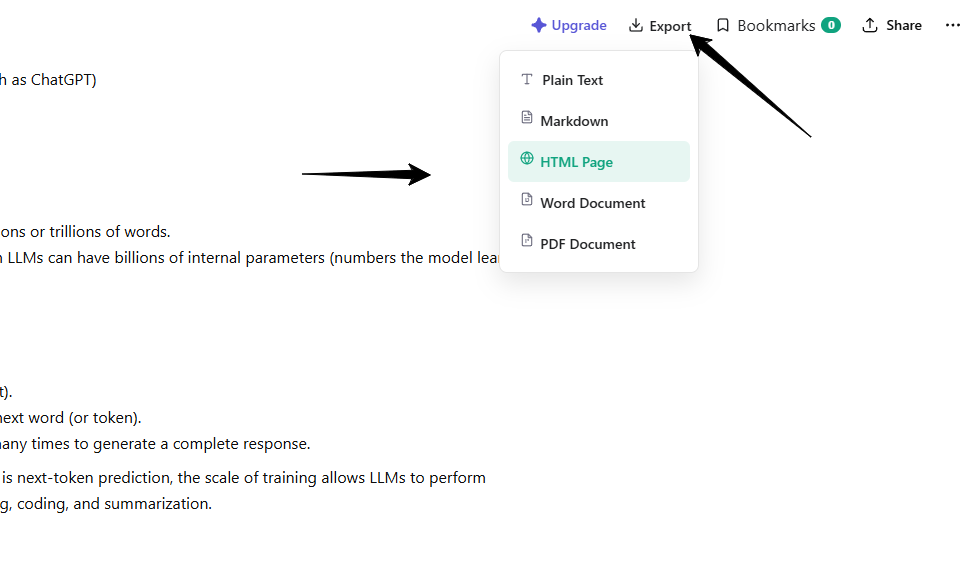
Export button and format dropdown.