
Custom Background replaces the default ChatGPT chat background with a color, gradient, or custom image of your choice.
Use Custom Background to personalize your workspace, reduce visual fatigue, or match a preferred aesthetic.
Step 1: Open Settings
In the settings dashboard, navigate to the Custom background tab and toggle the status to On.
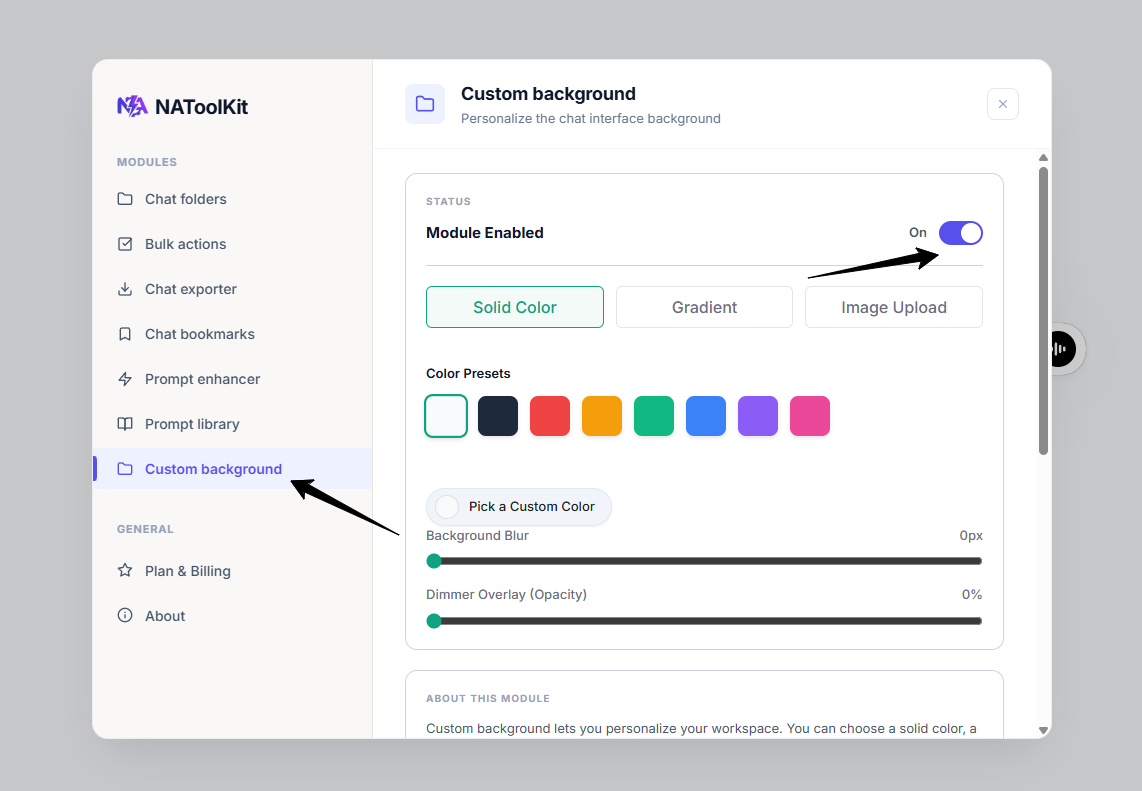
settings dashboard.
Step 2: Choose Background Type & Readability
Select your styling method:
- Solid Color: Click a pre-made color swatch, or click the Pick a Custom Color circle to choose a custom hex color.
- Gradient: Select one of the preset color gradients.
- Image Upload: Click the upload area or drop an image file up to 2MB to set a custom wallpaper behind your chats.
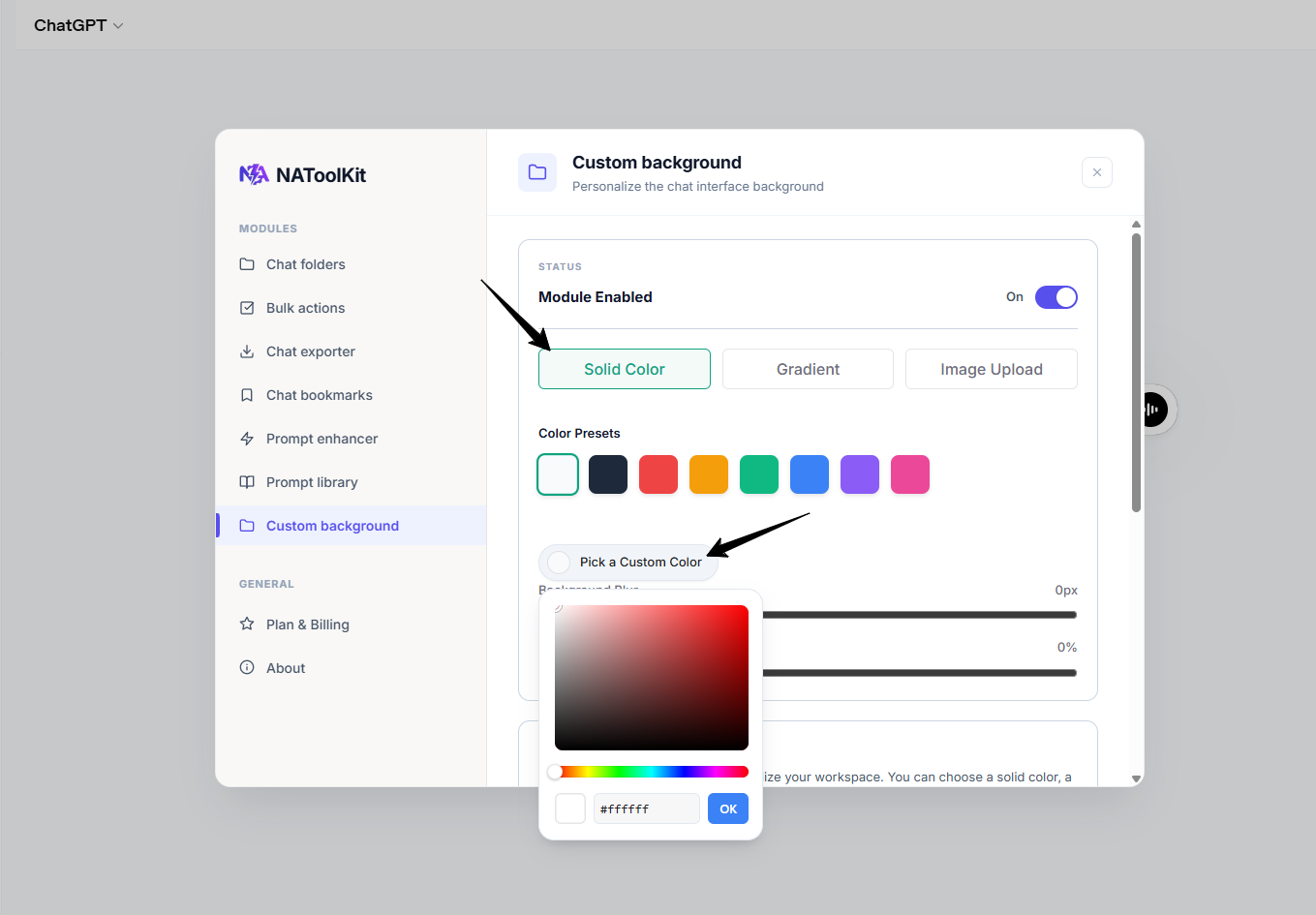
Custom Background solid color settings.
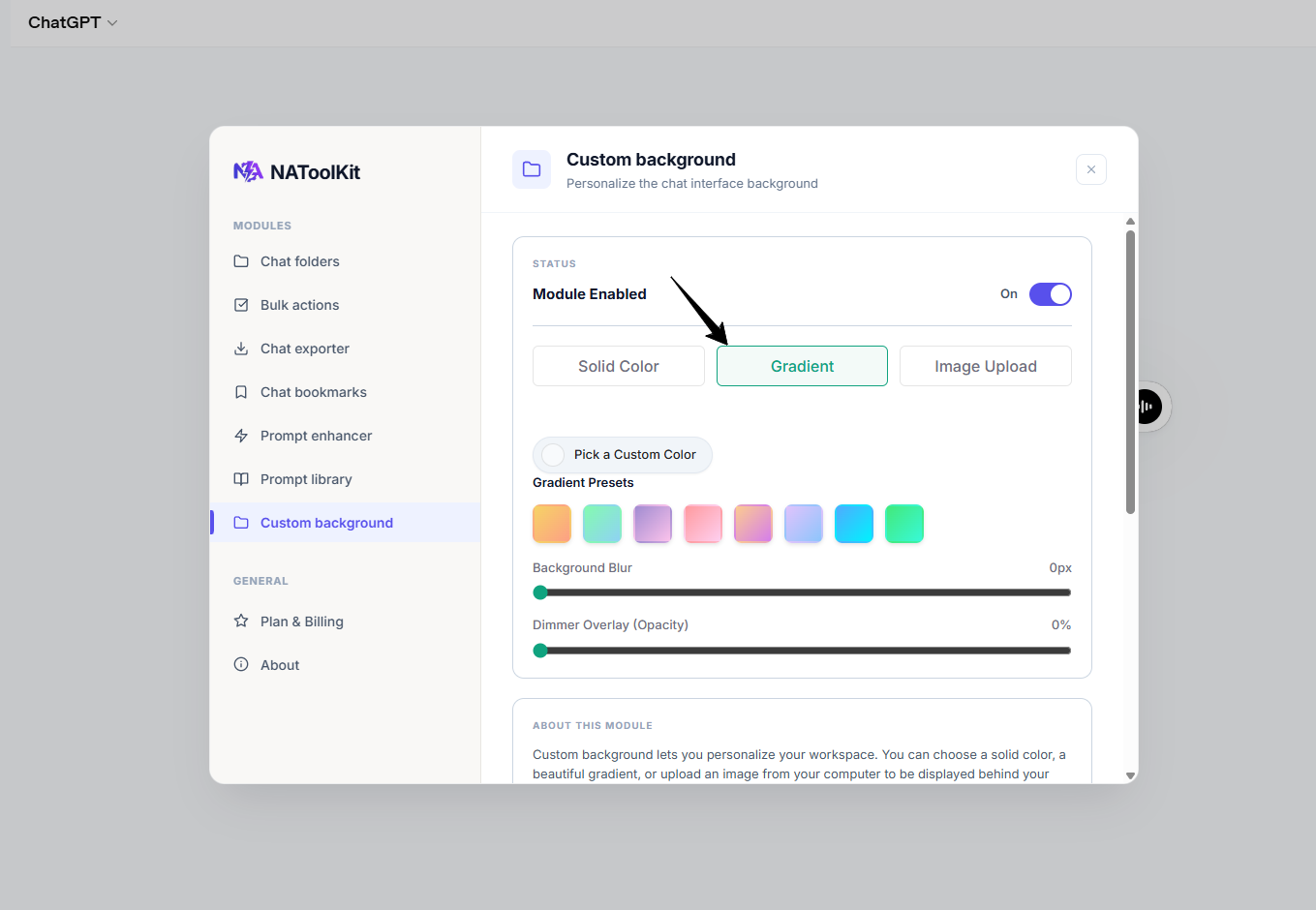
Custom Background Gradient settings.
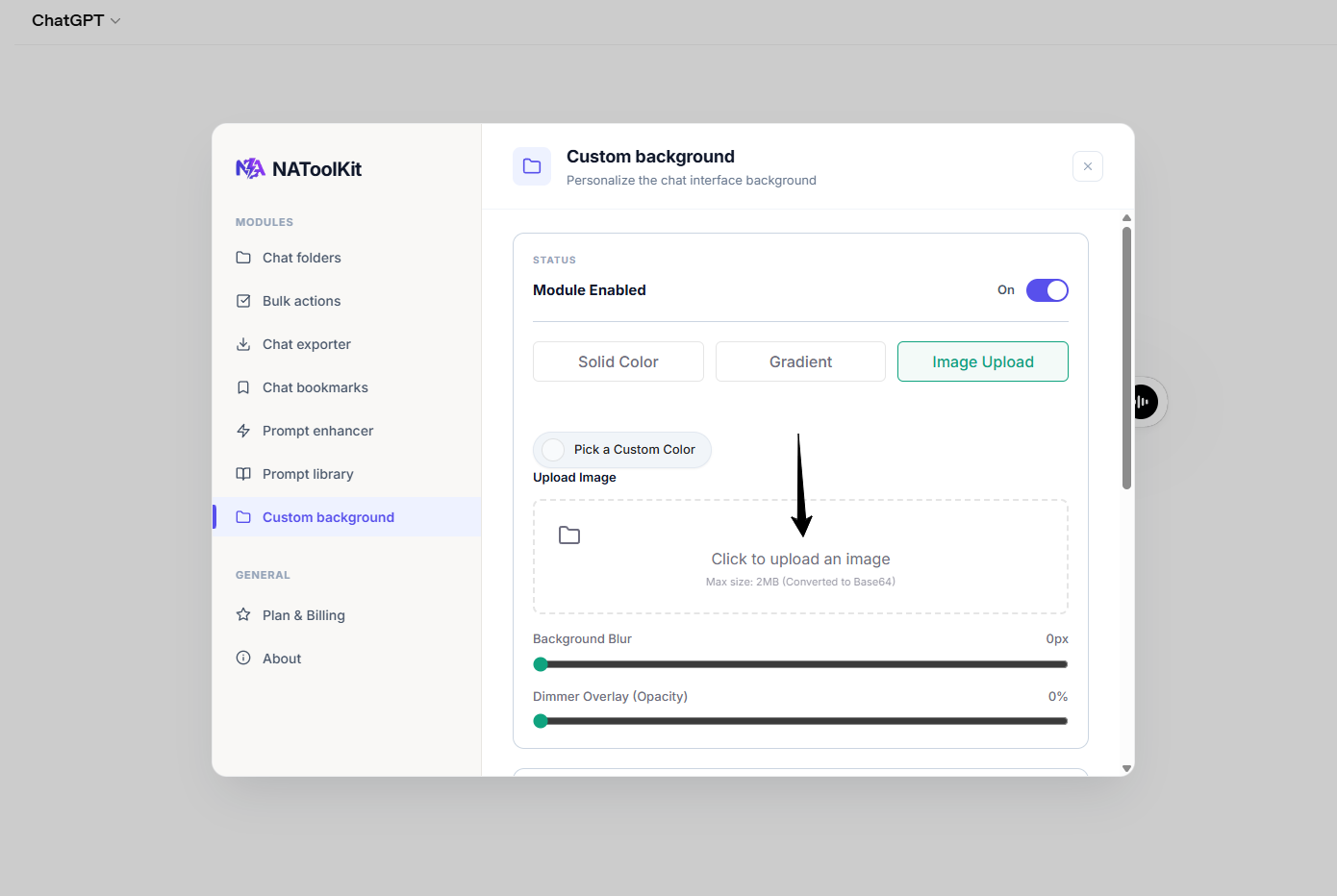
Custom Background image upload settings.
To keep text bubbles readable over images or bright colors, adjust these sliders:
- Background Blur: Blur the background image or gradient from 0px to 50px.
- Dimmer Overlay (Opacity): Apply a dark overlay from 0% to 100% to dim the background.
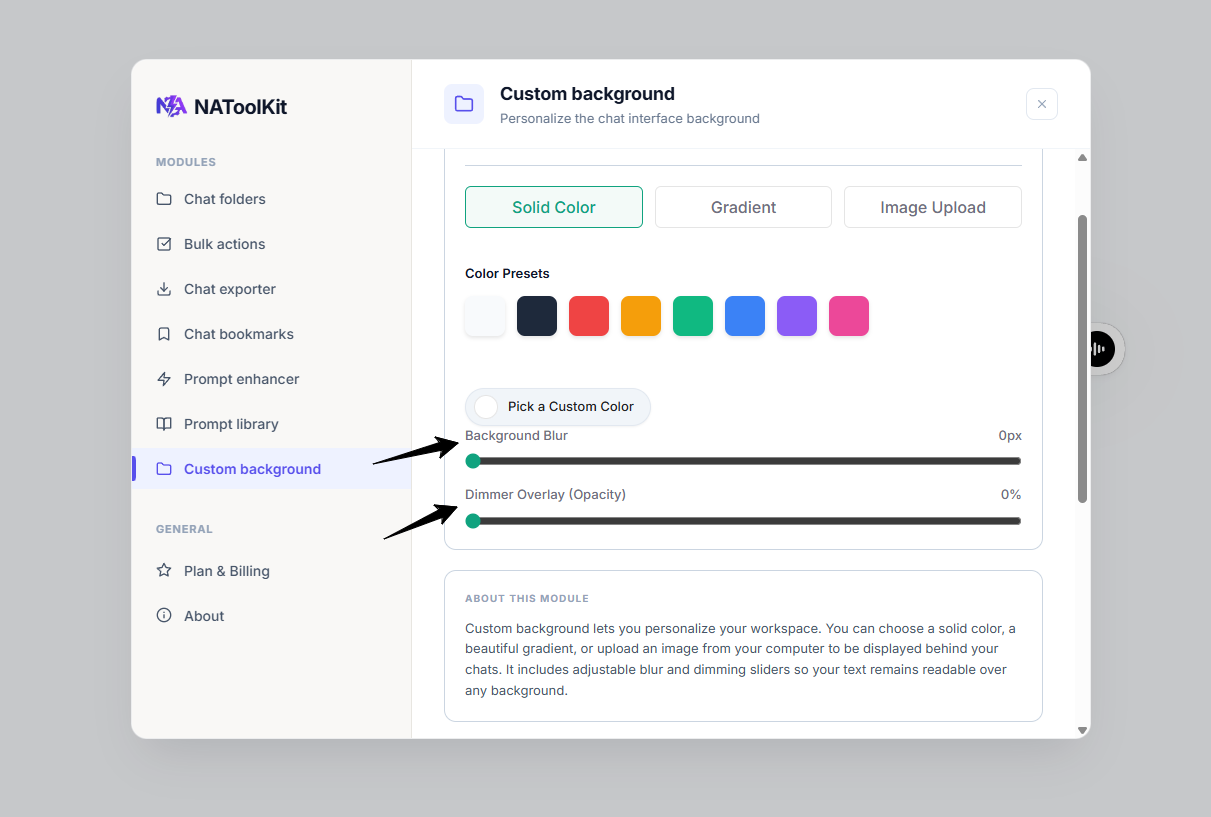
blur, and dimmer settings.