
Prompt Enhancer rewrites a rough draft prompt into a polished, structured instruction using an AI provider of your choice: OpenAI, Google Gemini, or OpenRouter.
Use Prompt Enhancer when you have a general idea but need help turning it into a clear, detailed prompt, especially for complex or technical requests.
Step 1: Configure API Keys in Settings
- In the settings dashboard, navigate to the Prompt enhancer tab and turn it On.
- Enable your preferred AI provider: OpenAI, Google Gemini, or OpenRouter.
- Paste your API key into the secure field. Keys are encrypted locally on your browser.
- Select your default model, or model gate for OpenRouter, and click Save Key.
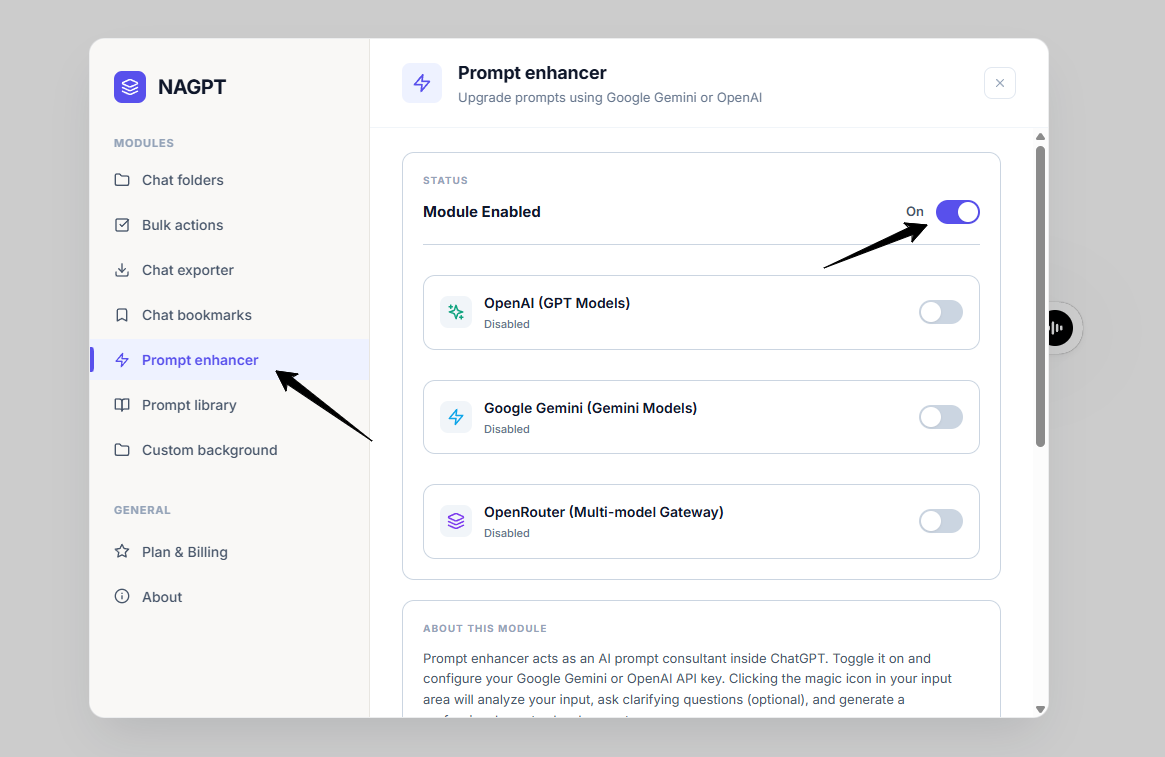
settings dashboard.
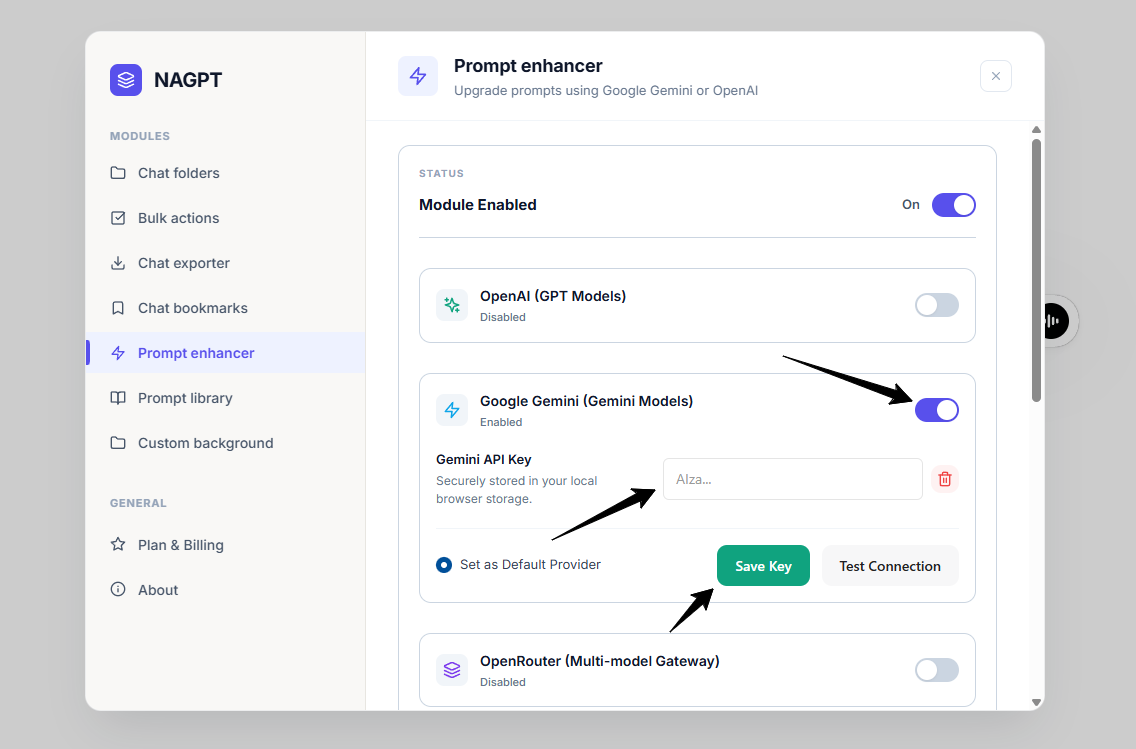
Paste your API key into the secure field.
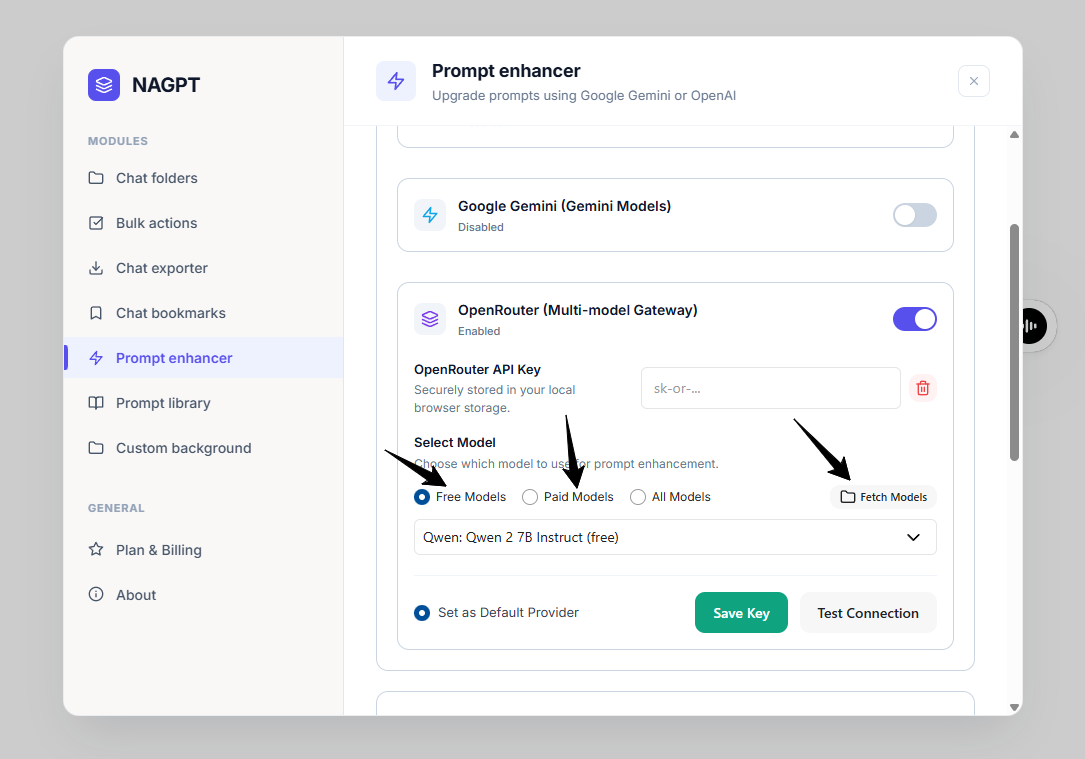
OpenRouter setting.
Step 2: Launch the Enhancer
- Type a draft instruction in ChatGPT's prompt input text area.
- Click the Lightning Bolt (Zap) button injected next to the Attach/Upload (+) button inside the input field.
- The Prompt Enhancer modal will open. In the top-right header, you can switch the active AI engine between OpenAI, Gemini, and OpenRouter. Availability depends on the API keys you've added in Settings — if you've only added one, that's the only engine you'll be able to use.
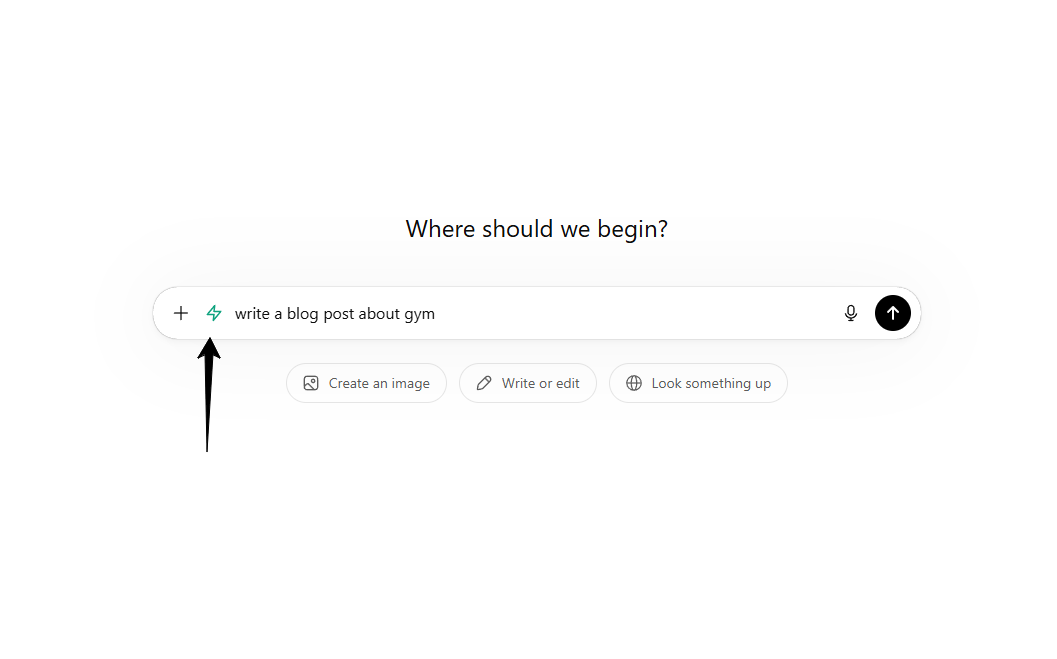
Zap button beside the ChatGPT input.
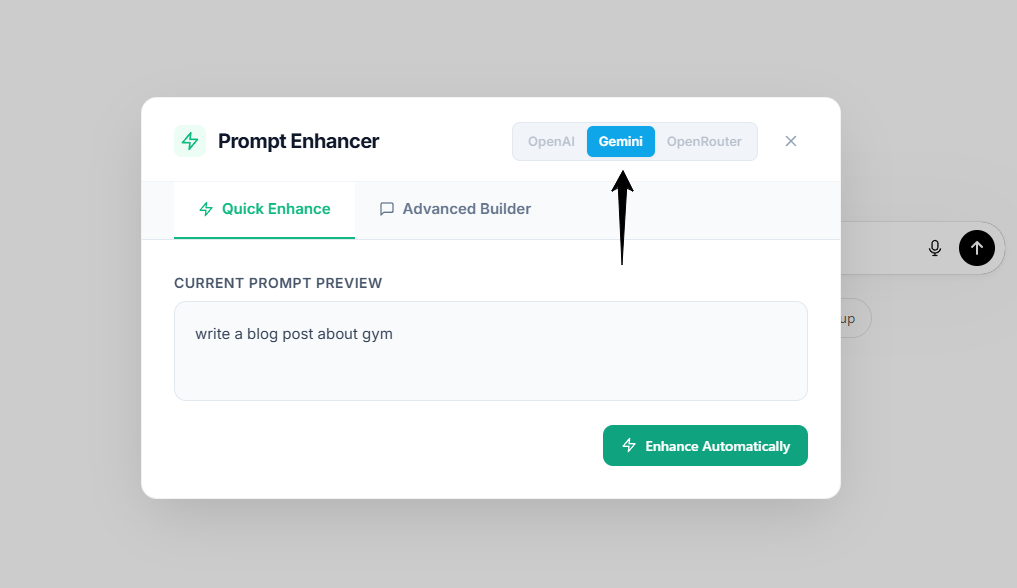
Prompt Enhancer modal.
Step 3: Select an Enhancement Mode
- Quick Enhance: Click Enhance Automatically. The AI rewrites your prompt into a professional, structured template. Review or edit the text, then click Insert into ChatGPT.
- Advanced Builder: Click Analyze Prompt. The AI generates up to 3 clarifying questions. Type your answers, click Generate Final Prompt, then click Insert into ChatGPT.
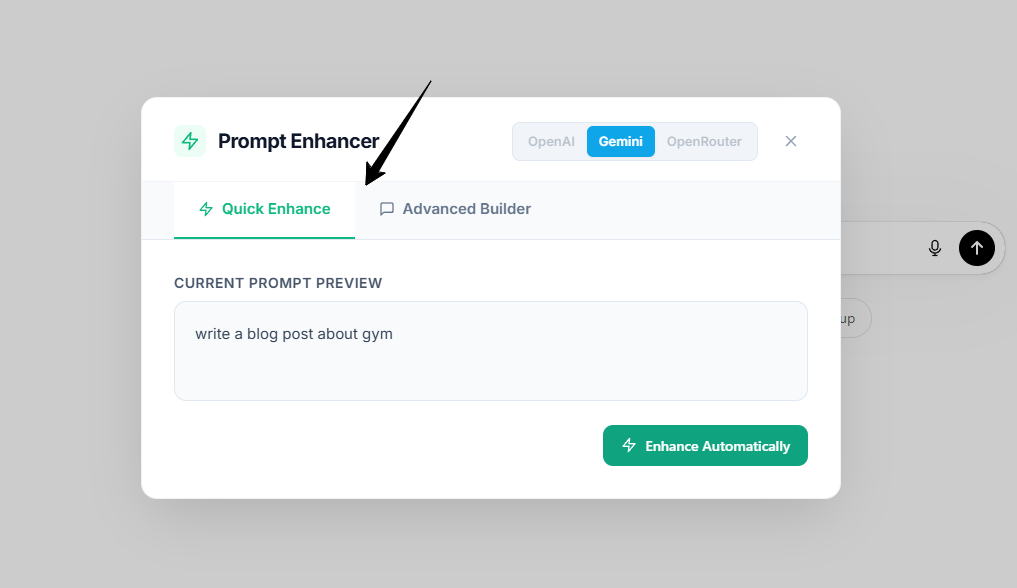
Enhancement Mode.
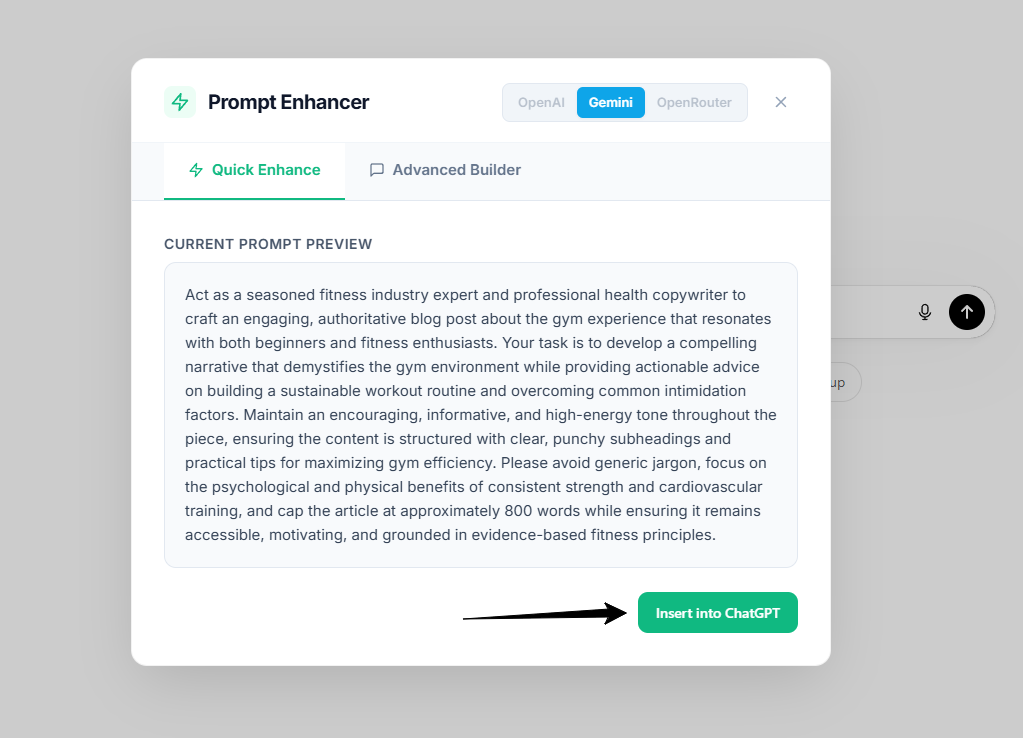
Enhancement Mode.
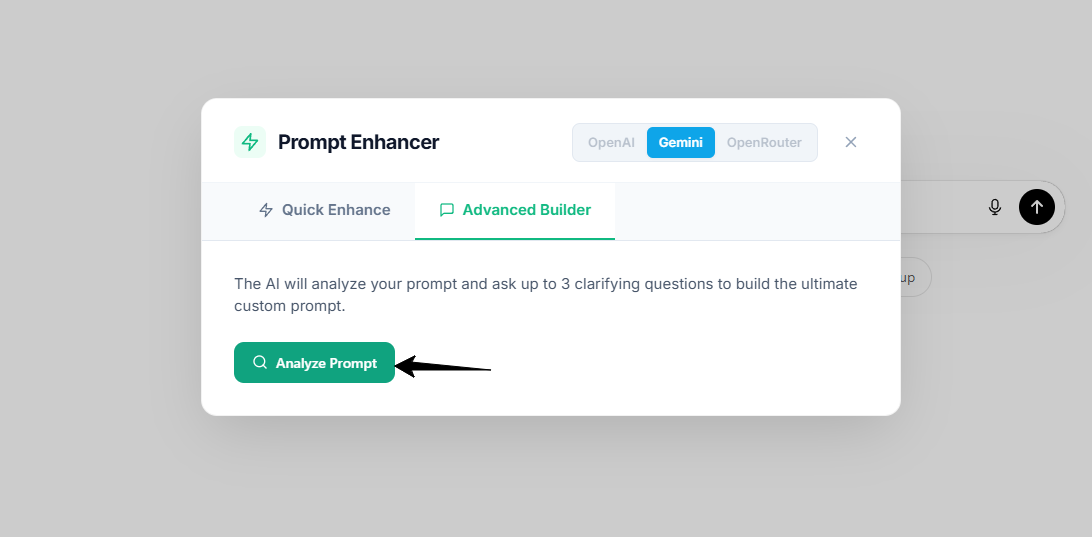
Enhancement Mode.
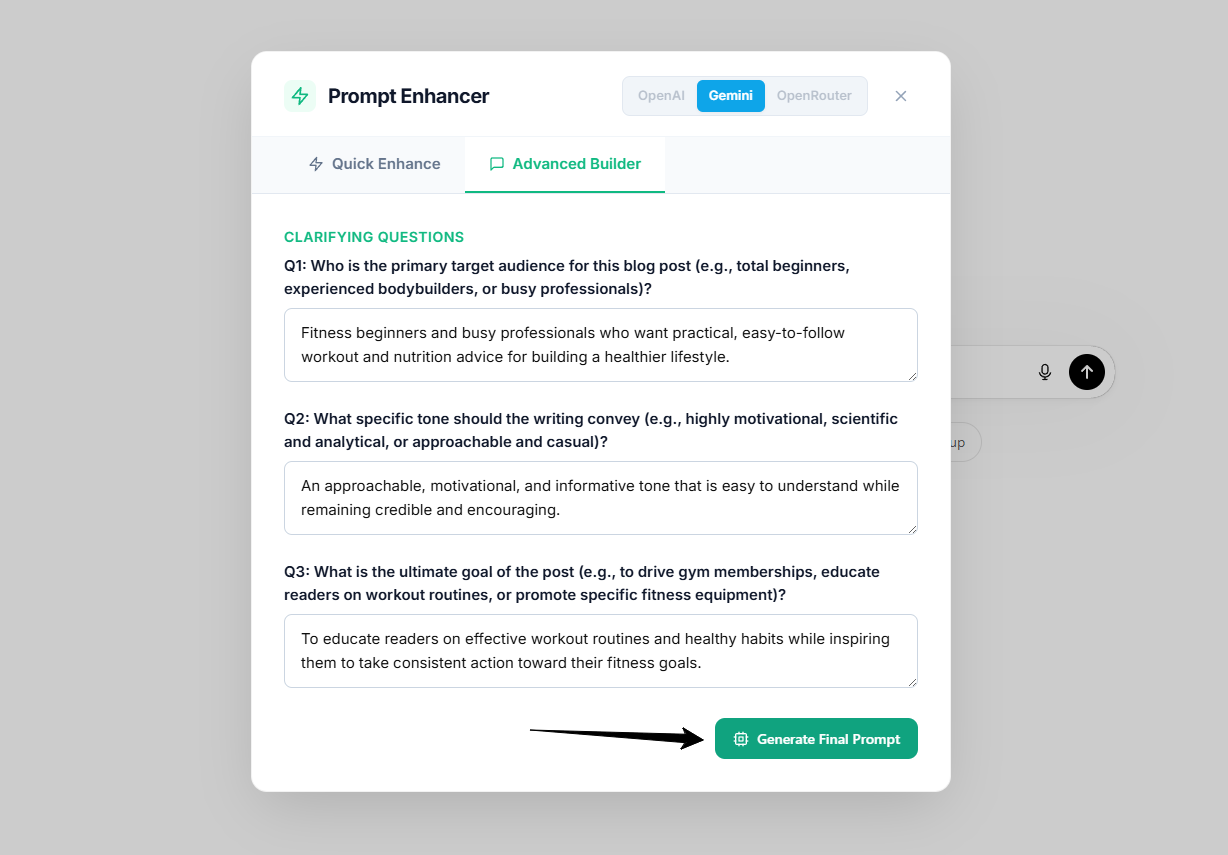
Enhancement Mode.
After Quick Enhance
After you click Enhance Automatically, your basic prompt is rewritten by AI into a more advanced, structured prompt. The enhanced version adds clearer instructions, better context, and a more organized format so ChatGPT can understand your request more accurately.
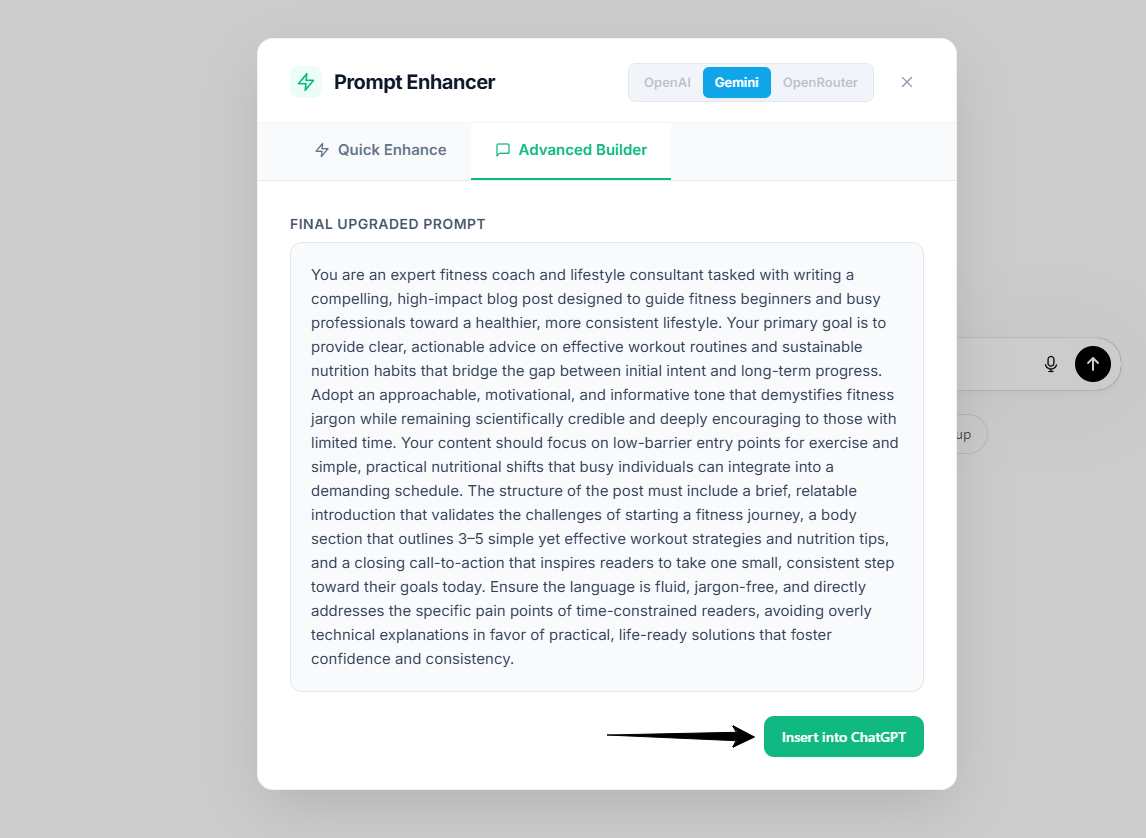
Enhancement Mode.
Review the rewritten prompt before inserting it. You can edit anything you want, then click Insert into ChatGPT to place the improved prompt back into the chat input.